· Scenarios · 4 min read
Scenario: Debugging a Circular Dependency in Django
A practical scenario guide on visualizing Django models to debug and fix complex circular dependencies in a production pipeline.
You are in the middle of the “production” phase for a new B2B project management platform. The goal of this tool is to help agencies manage their pre production and post production workflows for high end animation projects.
Everything is going well until you decide to tighten the relationships between your data models.
You open your terminal to run the development server. Instead of the usual success message you are greeted by a wall of red text.
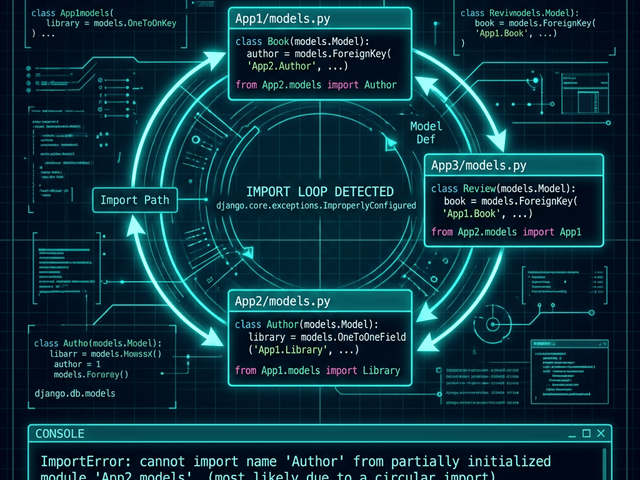
ImportError: cannot import name 'Project' from partially initialized module 'tasks.models' (most likely due to a circular import).
Your heart sinks. You have hit the classic Django circular dependency.
In your effort to build a robust system you created a loop. Your Project model needs to know about the Task model to assign work. But your Task model needs to know about the Project model to report its status back to the main production pipeline.
Python is confused. It cannot load Project because it is waiting for Task to load. But Task cannot load because it is waiting for Project.
You are stuck in a logical deadlock.
The Challenge: ImportError due to models referencing each other
Circular dependencies are a common hurdle in complex B2B software production. When you are modeling intricate business hierarchies it is easy to lose track of which component depends on which.
The Struggle of Modernizing the Production Pipeline
In a simple app this is easy to avoid. But in a professional B2B tool the relationships are deep.
You might have an Organization that owns many Productions. Each Production has a LeadAnimator. Each LeadAnimator belongs to an Organization.
If you use hard imports at the top of your models.py files you are essentially building a house of cards. One wrong reference and the whole system fails to initialize.
The Workflow: Visualizing the Model Relationships
Instead of staring at thousands of lines of Python code trying to trace the import chain manually you need a visual audit. You need to see the “wires” of your application.
I used AI Diagram Maker to diagnose the structural flaw in our production code.
Importing the Django Models via GitHub
I didn’t waste time drawing boxes. I used the Python to Class Diagram workflow.
I navigated to the code analysis feature and connected our GitHub repository. I selected the models.py files from both the organizations app and the productions app.
Generating the Visual to Spot the Loop
The AI parsed the Django ORM syntax. It recognized the models.ForeignKey and models.OneToOneField definitions.
In seconds it rendered a UML Class Diagram of our entire data layer.
The issue was immediately obvious.
The diagram showed a clear circle. There was a solid arrow pointing from the Project box to the Task box. And there was another solid arrow pointing from Task directly back to Project.
Seeing it visually was like looking at a broken circuit board. I could see exactly where the “short circuit” was happening.
The Result: Identifying Where to Use String References
Once the loop was visible the solution was simple.
Django provides a way to handle this without hard imports. You can use string references in your foreign keys instead of importing the class itself.
Fixing the Architecture
I looked at the diagram and decided that the Project was the primary entity in our production workflow.
I went into tasks/models.py. I removed the line from projects.models import Project. Then I changed the foreign key definition:
project = models.ForeignKey('projects.Project', on_delete=models.CASCADE)
By using the string 'projects.Project' I told Django to wait and resolve the relationship later during the system initialization phase.
I saved the file and refreshed the terminal. The red text vanished. The server started perfectly.
Spotting the Cycle in Minutes
Without a visual map I would have spent an hour jumping between files and manually tracing the imports.
The diagram turned a confusing “partially initialized module” error into a simple logic puzzle. I could see the cycle I could see the fix and I could get back to the actual production work of building features for our clients.
Visualizing your models is the best way to ensure your B2B platform has a clean scalable architecture.
Debug your dependencies. Don’t let circular imports stall your production schedule. Use AI Diagram Maker to visualize your Django models and find logical loops instantly. It is the fastest way to maintain a clean codebase.