· Technology Deep Dive · 7 min read
Understanding D2 Language: The Backbone of AI Diagram Generation
You don't need to learn code to use AI diagramming, but understanding the D2 language explains how we generate perfect layouts every time. A deep dive for the technically curious.
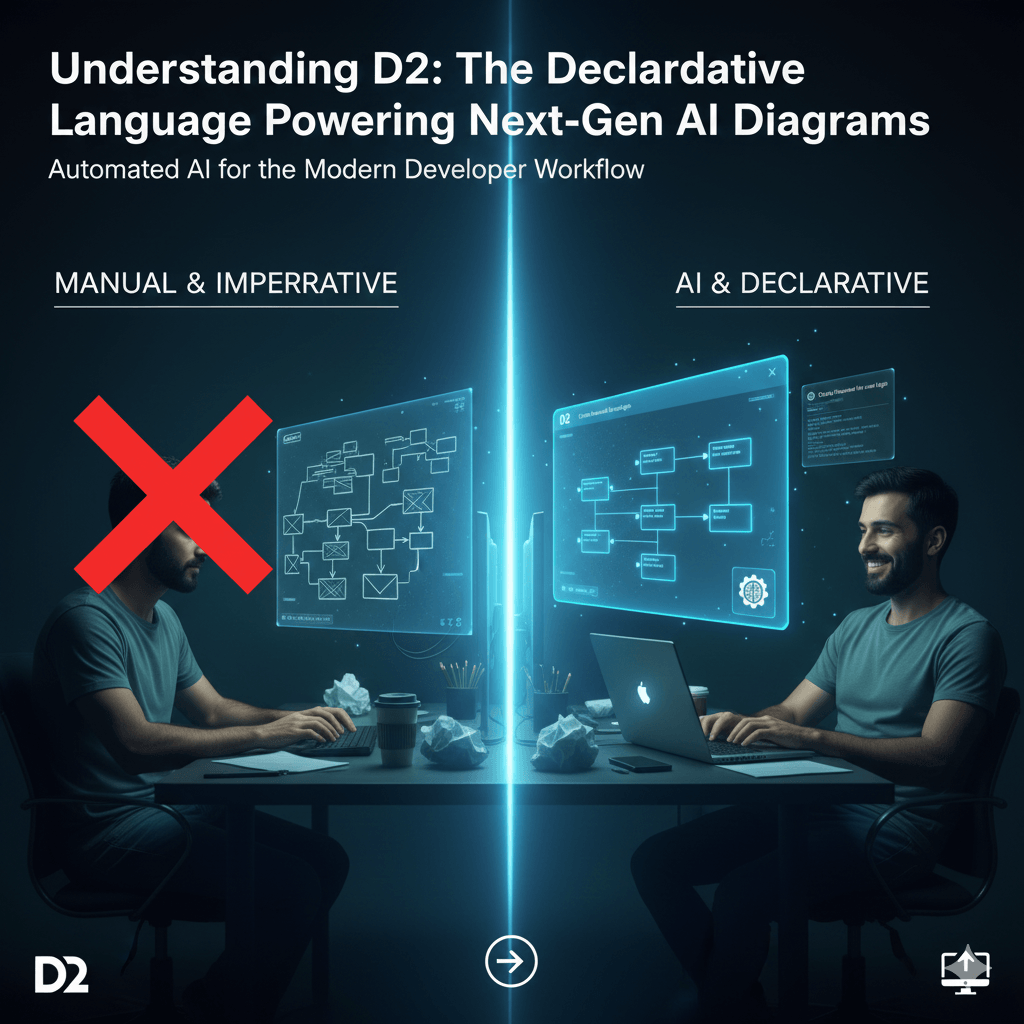
When you type a sentence into a tool like AIDiagramMaker and a perfectly formed diagram appears a moment later, it can feel a bit like magic. And in a way, it is. But it’s not supernatural magic; it’s the result of some really clever technology working together behind the scenes. One of the most important, yet invisible, parts of that system is a powerful diagramming language called D2.
Read More: AI diagram generation
Now, I want to be very clear about something right up front. You absolutely do not need to learn D2, or even know it exists, to get incredible value out of our tool. The whole point of the AI is to handle all that complexity for you. This article is for the curious ones, the developers and architects who look at a new tool and immediately want to know how it works under the hood. So, let’s pull back the curtain.
Tl;dr
If you’re short on time, here’s the main idea. D2 is a modern language for creating diagrams from text. It’s “declarative,” which means you describe what should be in the diagram (like “A connects to B”), and D2’s powerful engine figures out the best way how to draw it. This results in perfectly clean and aligned diagrams every time. AIDiagramMaker’s AI acts as a translator, turning your plain English prompts or your code into high quality D2 code. You get all the power and beauty of D2’s layout engine without ever having to write it yourself.
What is Declarative Diagramming? The “What,” Not the “How”
Before we can talk about D2 specifically, we need to touch on a really important concept: the difference between declarative and imperative approaches. It sounds a bit technical, but the idea is actually pretty simple.
An imperative approach is when you give step by step instructions. It’s the “how.” Think about how you would draw something manually in a traditional tool. You’d say:
“Put a blue box at these exact coordinates.”
“Now put a green box over here.”
“Draw a straight line from the center of the blue box to the center of the green box.” You are specifying every single action required to get to the final result.
A declarative approach is completely different. You don’t describe the steps; you describe the final outcome. It’s the “what.” In a declarative system, you would simply say:
“There is a blue box and a green box, and the blue box is connected to the green box.”
You state the facts, the relationships. The system itself, in this case the D2 layout engine, is then responsible for figuring out the best “how.” It decides where to place the boxes and how to route the line to make it look clean and readable. This is the foundational principle behind the whole Diagram as Code movement.
Read More: Diagram as Code movement
Introducing D2: A Modern Language for Diagrams
D2 is a relatively new, open source language built specifically for this declarative approach. It was created by the team at Terrastruct with a focus on solving the layout problems that plague older diagramming tools.
Its main characteristics are pretty clear:
- It’s just plain text, which makes it incredibly easy for both humans and machines to read.
- It’s designed from the ground up to produce exceptionally clean and professional looking diagrams, especially for complex software architectures.
- It’s also really flexible. You can theme it, style it, and extend it in all sorts of ways.
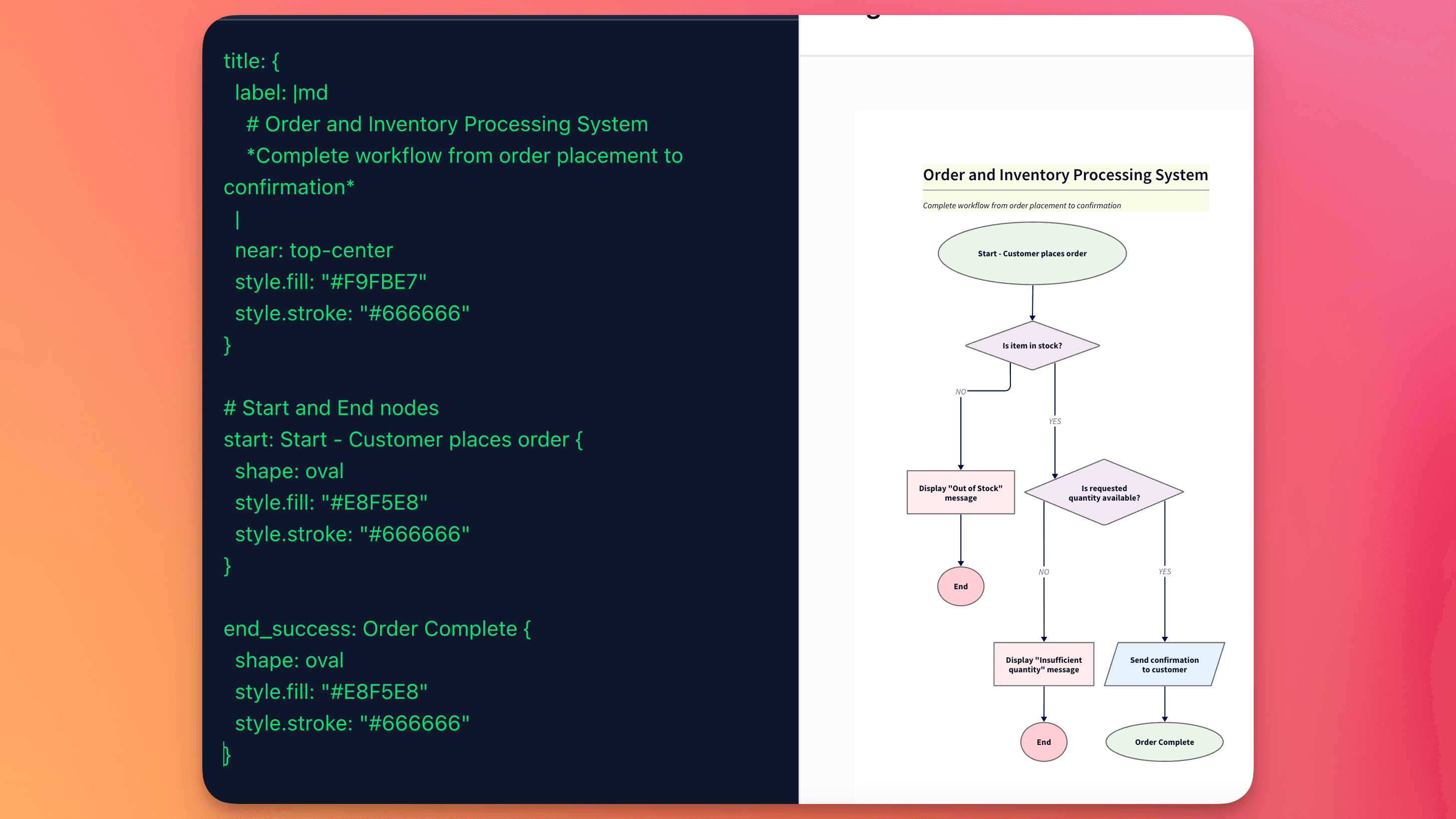
To give you a feel for it, here is what a tiny piece of D2 code looks like.
x -> y: Hello World
That one line is all D2 needs to produce a clean visual. It creates two shapes, x and y, draws a clean arrow between them, and adds the label “Hello World.” Simple, right? The AI in AIDiagramMaker just does this on a much grander scale.
Read More: D2 Diagram
Why AI DiagramMaker Uses D2 as its Backend
So, when we were building our tool, we had a choice. We could have tried to build our own rendering engine from scratch, or we could build on top of an existing language. We chose to build on D2 for a few very strategic reasons. This is probably the core of the whole article.
1. Unmatched Layout Engine
First and foremost, D2’s layout engine is, in my opinion, best in class. It is incredibly sophisticated at taking a complex set of relationships and arranging them in a way that is logical, minimizes crossed lines, and is just generally easy on the eyes. This is not a trivial problem to solve. Anyone who has tried to manually arrange a diagram with more than ten nodes knows the pain. By using D2, we can ensure that every single diagram the AI generates is not just technically correct, but also presentation ready.
2. Separation of Concerns
Using D2 allows for a really clean system architecture. We can let our AI do what it does best: understand human language and complex code structures, and then translate that intent into logical D2 code.
And we let D2 do what it does best: render that logical code into a beautiful, polished diagram. This separation of responsibilities makes our entire platform more robust, scalable, and easier to maintain.
3. Developer-Friendliness and “Eject Button”
This is a big one for building trust with technical users. Because D2 is the underlying format, we can offer an “eject button.” Power users can have the AI generate a diagram to get them 90% of the way there, and then they can export the raw D2 code itself. They can make tiny manual tweaks, add specific styles, or, most importantly, check that text file directly into their Git repository. It proves that our tool isn’t a black box.
4. Future-Proof and Extensible
The D2 language is an active, thriving open source project that is constantly improving. By building on its foundation, AIDiagramMaker gets to inherit all of its future advancements. When D2 gets better styling options, new layout algorithms, or support for new diagram types, our users will benefit from that innovation. It’s a smart way to stay on the cutting edge.
D2 vs. Other Languages (like Mermaid or PlantUML)
It’s probably helpful to quickly compare D2 to some other “diagram as code” languages that you might have heard of.
Mermaid is fantastic. It’s become very popular for its simplicity and great integration in places like GitHub and Notion. It is perfect for smaller, simpler diagrams embedded right in your markdown files. However, for really complex system architectures, its layout engine can sometimes struggle, leading to diagrams that feel a bit cramped or messy.
PlantUML is the powerhouse. It’s been around for a long time and is incredibly feature rich. You can create almost any kind of diagram with it. The trade off is a steeper learning curve, and I think some people find its syntax a bit more verbose. The default styling can also look a little dated without significant customization.
D2 seems to have found a sweet spot right in the middle. It combines a clean, modern syntax with a truly powerful layout engine, which makes it the ideal choice for the kinds of complex, professional software diagrams that AIDiagramMaker is designed to create.
Conclusion: The Silent Partner in Your AI Diagramming Workflow
So, D2 is the powerful, invisible engine that works tirelessly behind the scenes. It’s the silent partner that guarantees your AI generated diagrams are well structured, professional, and version controllable.
You get all the benefits of what might be the best declarative diagramming language on the market, but without having to write a single line of it yourself. You just focus on your ideas, and let the AI and D2 handle the rest.
See the power of a D2 backed AI in action. Generate your first presentation ready diagram with AIDiagramMaker.