· Glossary · 3 min read
What Is Scalability?
Scalability is the measure of a system's ability to handle growth by adding resources. This glossary entry explains its types and importance in system design.
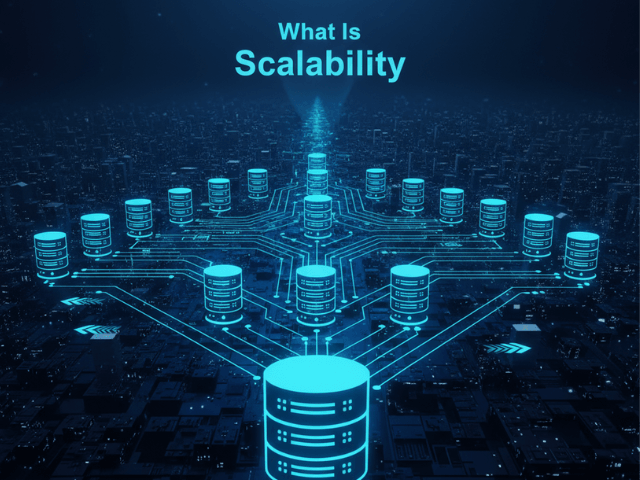
If your app works perfectly for 10 users but crashes when 10,000 users sign up, you have a scalability problem.
Scalability is the measure of a system’s ability to handle growth.
Simple Definition of Scalability
Scalability is the property of a system to handle a growing amount of work by adding resources to the system. It is not just about “being big.” It is about the ability to become big without redesigning everything from scratch. A scalable system is elastic. When traffic spikes, the system expands to meet the demand. When traffic drops, it shrinks back down to save money.
Handling Growth Without Breaking
Imagine a restaurant. If 50 people walk in at once, a non-scalable restaurant crashes. The kitchen gets overwhelmed. People leave. A scalable restaurant has a process. They can open a second kitchen line. They can call in extra staff. They can serve 500 people just as smoothly as they serve 50. In software, we deal with “Load.” Load can be concurrent users, database transactions per second, or storage volume. Scalability is your ability to swallow that load.
Types of Scalability
There are two main ways to scale a system.
Vertical Scaling (Bigger Server)
This is often called “Scaling Up.” It means buying a bigger computer. You add more RAM. You add a faster CPU. You upgrade from a small AWS instance to a massive one. It is simple because you do not have to change your code. But it has a hard limit. Eventually, you cannot buy a bigger computer.
Horizontal Scaling (More Servers)
This is often called “Scaling Out.” It means adding more computers. Instead of one giant server, you have ten smaller servers working together. This is infinitely scalable in theory. If you need more power, you just add another server. But it introduces complexity. You need a Load Balancer to distribute the traffic. You need to handle data consistency across multiple nodes.
Why It Matters in System Design
Scalability is the difference between a side project and a successful startup. If you do not design for scalability, your success becomes your failure. A viral marketing campaign will crash your site exactly when you need it to stay up. Architects design for scalability by avoiding “Single Points of Failure” and ensuring that components are stateless so they can be easily replicated.
Visualizing Scalability
How do you show scalability on a diagram?
Using diagrams to show Load Balancers and Auto-Scaling Groups
In a system architecture diagram, you represent horizontal scaling using specific patterns. For an example, see Microservices vs. Monolith: Visualizing the Migration. You draw a Load Balancer sitting in front of your web servers. Instead of drawing ten individual server boxes, you might draw a single box labeled “Auto Scaling Group (min: 2, max: 10).” This visual shorthand tells the engineer that this component can expand and contract automatically. You might also show a “Read Replica” database to indicate that you are scaling your read traffic separately from your write traffic.
Related Terms
To understand system growth, you need these terms.
- Load Balancing: The process of distributing network traffic across multiple servers.
- Latency: The time delay in processing a request. Often increases as load increases if the system is not scalable.
- Throughput: The number of actions a system can handle in a given time period. Scalability aims to increase throughput.
- Bottleneck: The specific component that limits the overall capacity of the system.
For more on visualizing scalable architectures, check out our Developer’s Guide: The Programmable Diagram: A Developer’s Guide to D2 and Text-Based Visuals.