· Best Practices · 8 min read
Diagram Revision History & Version Control - Why It Matters for Teams
Stop saving files as "v3_final_final.png". Learn why diagram version control is essential for creating a fearless editing environment and improving AI team collaboration.
We’ve all been there. You’re hunting for the definitive architecture diagram for a project. You find a shared folder, and inside you see it. A collection of files that tells a story of quiet desperation: Architecture_v2.png, Architecture_v3_final.png, and the one you really dread, Architecture_v3_final_final_for_real_this_time.png. Which one is right? Who changed the last one? And why did they add a whole new service without telling anyone? This chaos has become such a normal part of our workflow that we barely even question it anymore. But we should. We’re treating critical system blueprints like disposable sketches, and it’s causing more friction than we realize.
Read More about: Developer Workflows
Tl;dr
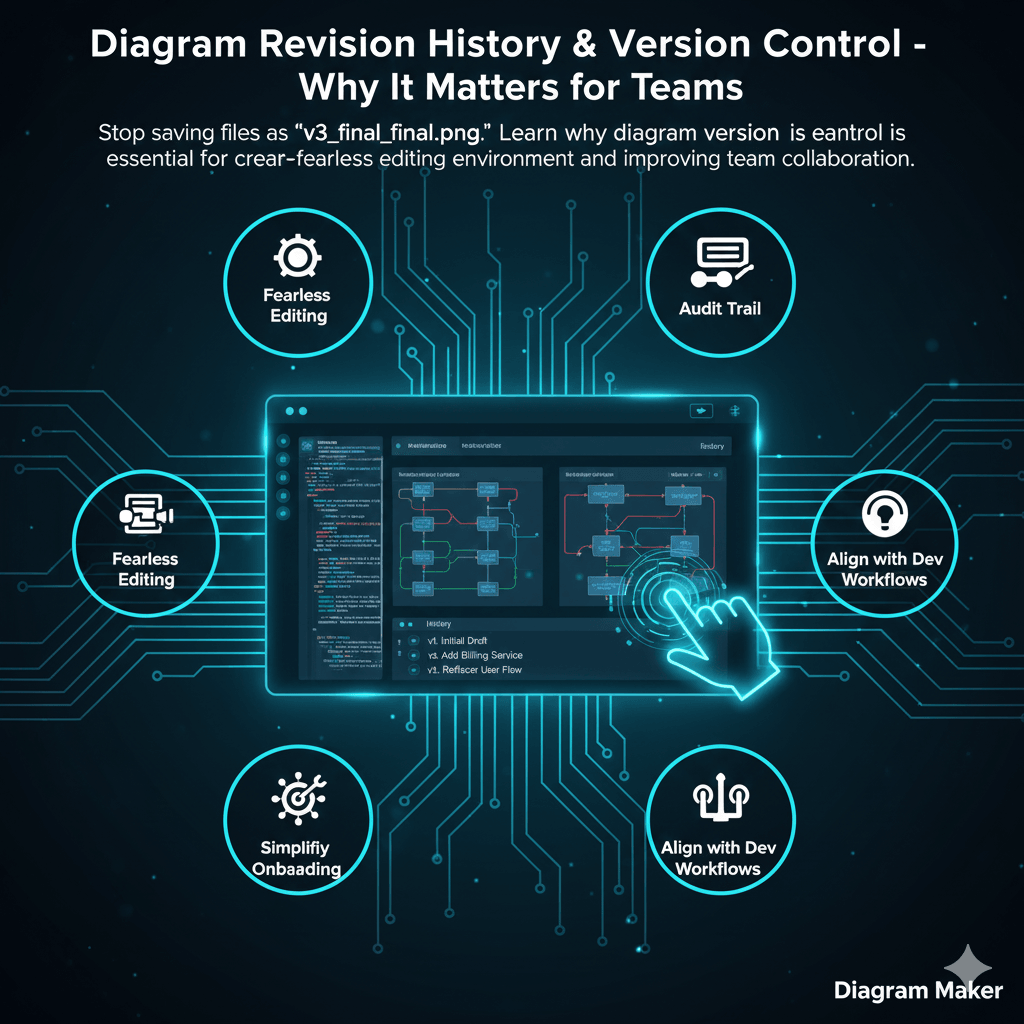
If you’re in a hurry, here’s the bottom line. Using diagrams without version control is like coding without git. It’s chaotic. Every time someone edits a diagram, you risk losing valuable history and context. Version control for diagrams gives you a full revision history, letting you see who changed what, when, and why. This creates a “fearless” editing environment, provides an audit trail for key architectural decisions, and makes onboarding new team members way easier. It aligns documentation with modern developer workflows. Instead of treating diagrams like static images, we should treat them like the critical, versioned assets they are.
Introduction: The “Who Changed This?” Problem in Visual Documentation
Let’s start with that common, frustrating scenario. A critical architecture diagram, the one that everyone is supposed to refer to, has been changed. Maybe a component was moved, or a connection was deleted. The problem is, nobody knows who did it, why they did it, or, most importantly, how to get the old version back if the change was wrong. That single file, Architecture_final.png, holds no history. It has no memory.
This is a critical failure of traditional, file based diagramming tools when you put them in a real team setting. They were built for a single user to create a single image. They were not built for the messy, collaborative reality of software development, where systems and ideas are constantly evolving.
The solution isn’t to create stricter file naming conventions or to yell at people in Slack. The solution is to use a system with a memory. A system with built in revision history and version control, which treats our visual documentation with the same seriousness and rigor that we apply to our code.
Read More about: The future isn’t about writing slightly better documentation
What is Diagram Version Control? (Hint: It’s More Than “Undo”)
When I say version control, I’m not just talking about the ability to hit “undo” a few times. That’s a temporary memory that gets wiped clean the moment you close the file. It’s useful, but it’s not a history.
Real version control is a persistent, reviewable log of the diagram’s entire life. It’s a system that automatically tracks every meaningful change, who made it, and when they made it. Think of it like the difference between hitting Ctrl+Z in a text file versus looking at the commit history in a git repository.
A proper version control system for diagrams usually has a few core components:
Revision History: A simple, chronological list of all the saved changes. You can scroll back in time and see the diagram’s state at any point.
Rollbacks: The ability to not just view, but to actually restore any previous version of the diagram with a single click. No more trying to redraw things from memory.
Change Highlighting (The Holy Grail): And in more advanced systems, you might even get the ability to visually compare two versions and see exactly what’s different. What was added, what was removed.
Four Reasons Your Team Can’t Live Without Diagram Version Control
Okay, so it sounds nice, but is it just a “nice to have”? I really don’t think so. For a modern tech team, this is foundational. Here’s why.
1. It Creates a Fearless Editing Environment
This is a subtle psychological point, but it’s a really important one. Think about the last time you opened a hugely complex, critical diagram. Were you a little nervous to even touch it? You probably worried that you might mess something up, break the layout, or delete something important, with no easy way to go back.
When team members know that every change is saved and they can easily roll back to a previous version, that fear disappears. They become more likely to experiment, to make improvements, and to correct small errors they see. It fosters a culture of ownership and collaboration instead of a hands off museum of untouchable diagrams.
2. It Provides an Audit Trail for Key Decisions
A diagram’s history tells a story. It’s an archaeological record of the project’s evolution. Why did the team decide to switch from a monolithic architecture to microservices six months ago? Why did they choose RabbitMQ over Kafka?
A static image can’t answer those questions. But by stepping through the version history, you can see the moments when those major changes were introduced. The evolution of the diagram serves as a powerful, visual record of key architectural decisions, providing context that is almost always lost in forgotten meeting notes or long Jira threads.
3. It Simplifies Onboarding and Handoffs
I’ve seen this happen so many times. A new developer joins the team, and as part of their onboarding, someone points them to a folder of diagrams and says “get familiar with this.” It’s a terrible experience. The static images lack all context.
Now, imagine a different onboarding. You tell the new developer to open the main architecture diagram and scroll through its revision history. They can literally watch how the system evolved from a simple concept to the complex application it is today. This provides an invaluable level of context that a single, static picture never could. It’s the difference between being handed a map and being told the story of how the city was built.
4. It Aligns with Modern Developer Workflows
This one is simple. Developers live in a world of git. They think in terms of commits, history, branches, and pull requests. Applying that same mental model to their documentation just makes sense. It clicks.
Forcing a developer to use a drag and drop tool with no history feels alien and clumsy. It breaks their flow. A tool that embraces concepts they already understand, like versioning, is a tool they are much more likely to actually adopt and use. This is a huge part of the Diagram as Code philosophy, where we stop treating diagrams as special, fragile images and start treating them as just another part of our version controlled codebase.
Read More About: Diagram as Code
How AIDiagramMaker Implements Version Control
So how does this work in practice? In AIDiagramMaker, we’ve tried to make this as seamless and automatic as possible.
You don’t have to manually save “versions.” Every significant change you make, or every time you regenerate a diagram from a new prompt, the system automatically creates a new, versioned entry. In the “History” panel, you can see a clean, chronological list of all previous states, complete with timestamps and who made the change. If you want to go back, you just select a previous version from the list and click “Restore.” It’s that simple. It’s designed to give you peace of mind without adding any extra work.
The Future: Git Integration and True “Diagram-as-Code”
The ultimate vision, I think, is to take this one step further. The goal is to treat the underlying D2 code that defines a diagram as a first class citizen right inside your Git repository.
Imagine a developer creating a pull request to add a new feature. That PR includes not just the application code, but also the changes to the D2 text file for the architecture diagram. The code review process would then show a visual “diff” of the diagram itself, highlighting the components that are changing. The documentation and the code would evolve together, be reviewed together, and be merged together. That is the future.
Conclusion: Stop Treating Diagrams as Disposable Images
The core message here is really a shift in mindset. Our diagrams are not just pretty pictures. They are not disposable images to be saved with _final_final in their name. They are a critical part of our project’s intellectual property. They are a record of our decisions, a blueprint for our systems, and an essential tool for our teams.
Read More: Critical part of our project’s intellectual property
We need to start treating them as such. Version control isn’t a luxury feature. It’s a foundational requirement for any serious team that wants to create and maintain documentation that is trustworthy, collaborative, and built to last. It provides safety, accountability, and invaluable context.
Empower your team to collaborate with confidence. It’s time to experience the peace of mind that comes with a complete revision history.