· Glossary · 2 min read
What Is Synchronous Communication?
Synchronous communication is a pattern where the client sends a request and waits for the server to respond before continuing, creating a direct real-time connection often called blocking.
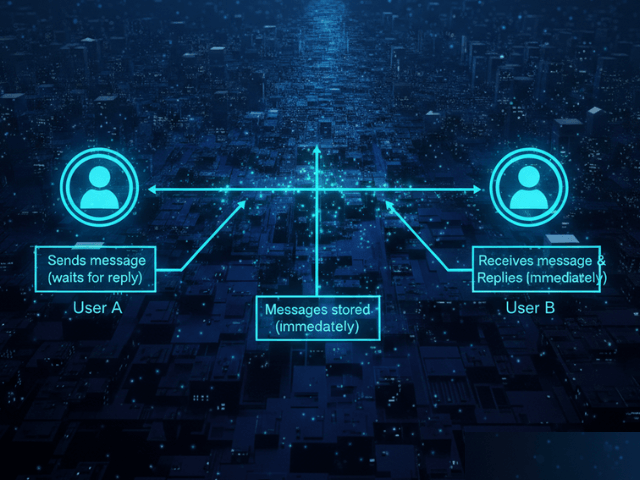
If you ask someone a question and stare at them until they answer, that is Synchronous Communication. It is direct. It is immediate. And if they are slow, you are stuck waiting.
Simple Definition
Synchronous communication is a pattern where the client sends a request and waits for the server to respond before continuing. It implies a direct real-time connection. The sender cannot proceed until the receiver is done. This is often called “blocking” because the execution thread is blocked while waiting.
Waiting for a Response
Think of a phone call versus a text message. A phone call is synchronous. Both parties must be on the line. If one person drops the call, the conversation ends. In software, this creates a tight coupling. If Service A calls Service B synchronously and Service B crashes, then Service A hangs or crashes too.
Use Cases
Despite the risks, synchronous is the default for most interactions because it is simple.
REST API calls, login screens
When a user tries to log in, they need to know right now if their password worked. You cannot tell them “We will email you in five minutes if the login failed.” For user-facing interactions where the user expects an immediate result, synchronous is the only choice. It is also used for reading data. If you need to calculate a total price, you need the current item prices immediately. You cannot calculate the total later.
Visualizing Sync Flows
How do you spot this dependency in a diagram?
Closed arrowheads and return lines in Sequence Diagrams
In a sequence diagram, synchronous calls have distinct markers.
- Request: A solid line with a filled (solid black) arrowhead. This means “I am blocking until you answer.”
- Response: A dashed line with an open arrowhead pointing back. This is the return value. Seeing a dense block of synchronous calls alerts an architect to potential latency issues. If you have ten synchronous calls in a row, the total response time is the sum of all ten.
Related Terms
To understand system design tradeoffs, you should know these terms.
- Asynchronous: The opposite pattern where the sender does not wait.
- Latency: The time you spend waiting for the synchronous response.
- Blocking: When a thread pauses execution while waiting for I/O or a network response.
- Timeout: The fail-safe mechanism used in synchronous calls to stop waiting after a certain time limit.
For more on visualizing communication patterns, check out our Developer’s Guide: The Programmable Diagram: A Developer’s Guide to D2 and Text-Based Visuals.